Short answerThe best wedding party photo app is one guests don't have to download. Use a QR code on the tables that opens a private gallery in the phone browser: guests add photos and videos in seconds, with no app and no account, and you download every original afterwards.
Why "app" is the wrong word
When couples search for a wedding party photo app, they want one thing: every photo and video their guests take, in one place. An app from the App Store makes that harder. Each guest has to find it, download it, make an account and remember a password, all while holding a drink on the dance floor. Most won't.
A browser gallery skips all of that. The guest points their camera at a QR code, a page opens, and they tap "Add photos & videos". That's the whole process, and it works on every modern iPhone and Android.
What to look for
| Feature | Why it matters at a wedding |
|---|---|
| No app, no account for guests | Every step you remove means more guests upload. Older relatives especially. |
| Photos and videos | The first dance, the speeches and the dance floor are best on video. |
| Original quality | Messaging apps shrink files. You want the full-size originals for prints and albums. |
| Private by default | Only people with your link should see the photos. |
| Review before it appears | Useful if you'd rather approve photos before the whole family sees them. |
| A printable QR card | Saves you designing one yourself. |
| Uploads after the day | Guests find their best shots days later. The link should stay open. |
Party moments guests catch that your photographer won't
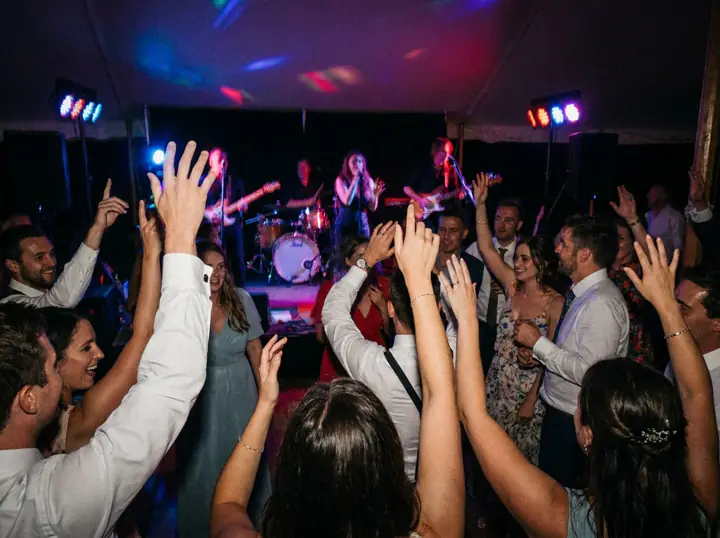
Your photographer follows the two of you. Your guests are everywhere else, and their phones catch the moments nobody plans:
- Grandma's first move on the dance floor
- The kids under the table with the cake
- The best man's speech, from the back row, with everyone laughing
- The 1 a.m. pizza run
- Your friends' faces when you walk in
How to set it up in ten minutes
- Create the gallery a few weeks before the wedding and add your programme (ceremony, dinner, party), so uploads land in the right album.
- Print the QR card with your names. One per table, plus the bar and the guest book.
- Test it with an iPhone and an Android phone in dim light.
- Mention it once. Your MC can say "Scan the card on your table and add your photos" after the speeches.
- Remind guests the next morning in your group chat, with the same link.
Apps vs a QR gallery
Download-an-app tools
- Guests must install and sign up
- Fewer guests take part
- Sometimes richer social features
QR code browser gallery
- Scan and upload, nothing to install
- Works for every guest, every phone
- One private place for everything
FrameAmour is a QR gallery made only for weddings. It's US$79 once, with a 14 day money-back guarantee. See how it works, or compare it with other tools in the best wedding photo sharing apps.