Short answerGuests scan the QR code on the table, the gallery opens in their phone browser, they type a name (or stay anonymous) and tap to add photos and videos. No app, no account. If something goes wrong, it's almost always a QR code that's too small, a big video on weak signal, or a page closed too early.
What guests see, step by step
- Scan: they open the camera app and point it at the card. A link appears; they tap it.
- Your gallery opens in their browser, with your names and the photos shared so far.
- Name: they type their name, or stay anonymous.
- Add: they tap "Add photos & videos" and pick from the camera roll, or take something new.
- Upload: a progress bar shows each file. Photos take seconds; videos take longer.
- Done: their photos join the album, straight away or after your approval if review mode is on.
It works the same on iPhone and Android, in Safari, Chrome or the phone's own browser.
Common problems and quick fixes
| Problem | Fix |
|---|---|
| The camera doesn't react to the code | Move to about 30 cm away, tilt the card away from lights, or open the gallery link from your group chat. |
| "It's taking forever" | That's usually a long video. Keep the page open, or connect to the venue Wi-Fi. |
| No signal at the venue | Upload later from home with the same link. Nothing is lost. |
| "I can't find my photo" | If review mode is on, it appears once the couple approves it. Otherwise refresh the page. |
| Older relative is stuck | Have a friend scan for them and upload from their phone. No account means no password to forget. |
Tips that get more uploads
- Big, matte cards. At least 2.5 cm (1 inch) for the code, with a white border. See where to put the QR code.
- Share the link in your group chat too, for anyone whose camera won't scan.
- Tell the venue if guests can use the Wi-Fi, and put the network name on the card.
- One mention from the MC after the speeches does more than any sign.
- The morning-after message: "Thank you for yesterday! Add your photos and videos here: [link]".
Uploading after the wedding
Many of the best photos arrive the day after, when guests scroll through their camera roll on the train home. The same link keeps working, and when photos carry a capture time, FrameAmour still files them under the right part of the day, so a dance-floor video uploaded a week later lands in the Party album.
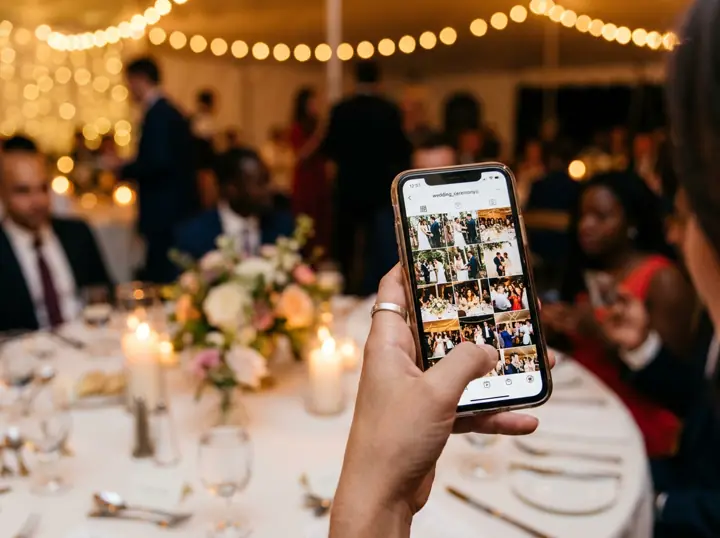
Why guests find FrameAmour easy
- Scan, choose, done. The gallery opens in the phone browser; guests pick photos and videos from their camera roll.
- No app, no account, no email. Guests add their name or stay anonymous.
- The same link works after the wedding, so late photos still find their way to you.
- You see everything in one place, sorted by your wedding programme.