Short answerPut a QR card on every guest table first: that's where most uploads happen. Then add one at the bar, the guest book, the photo booth and the welcome sign. Make the code at least 2.5 cm (1 inch) with a white border, print it on matte card, and have the MC mention it once after the speeches.
The six places that work
1. Every guest table (the one that matters most)
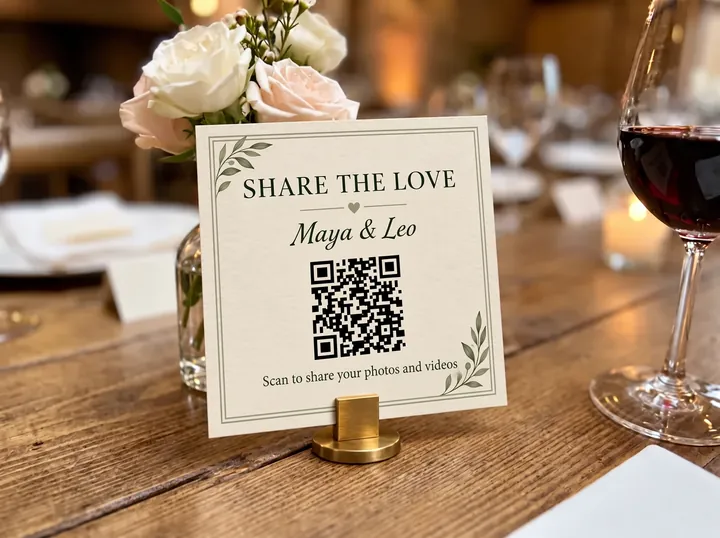
Guests spend hours at their table, phones beside their plates. A small card in the middle, facing the seats, gets more scans than anything else. Put it somewhere it won't be hidden by the centrepiece: next to the table number works well, or on the table number itself.
2. The bar
Nowhere at a wedding do people wait with their phones out more than at the bar. A card on the counter, or a small sign on the wall behind it, catches guests while they're scrolling through what they've just filmed.
3. The guest book
The guest book is already a "leave a memory" spot. Put a card beside it with a line like "Leave us a photo too". It turns a signature into a photo guest book. More ideas in digital guest books.
4. The photo booth or backdrop
Guests who take photos at a backdrop want to share them straight away. A card at eye level beside it is a natural next step.
5. The welcome sign or seating chart
Adding the code to the welcome sign means guests see it on arrival and know it's coming. For a sign read from a few steps away, make the code at least 10 cm (4 inches) across.
6. The bathrooms
It sounds odd, but guests check their phones there. A small framed card by the mirror quietly catches people who missed the table cards.
Places that don't work as well
- Only on the invitation. Guests won't dig out a paper invitation at the reception. Use the invitation or wedding website as a reminder, not the main spot.
- The ceremony programme alone. Many couples ask for phones away during the ceremony. Fine to include, but don't rely on it.
- A single big sign by the entrance. It's seen once on the way in, then forgotten.
Size, paper and lighting
| Where | Minimum code size | Tip |
|---|---|---|
| Table card | 2.5 cm / 1 inch | A6 or A7 card standing upright |
| Bar and guest book | 4 cm / 1.5 inches | Stand it upright so it's visible over glasses |
| Welcome sign | 10 cm / 4 inches | Place it at chest height |
- Matte, not glossy. Gloss reflects candlelight and phone flashes, and cameras fail to read it.
- Dark code on a light background, with a white border all round. Inverted or coloured codes scan less reliably.
- Test it in the real light. Scan the printed card with an iPhone and an Android phone at the venue's evening lighting before the day.
What to write next to the code
One invitation and one instruction is enough. Mention videos and that there's no app, because those are the two things guests wonder about.
Share your photos with us 📸 Scan to add your photos and videos to our album. No app needed.
You're our photographers tonight Scan the code and add everything you capture, videos too.
The free QR card maker lays out the code, your names and the wording, ready to print.
When to remind guests
- During the reception: once, right after the speeches, when everyone is seated. Your MC can say "There's a card on your table: scan it and add your photos and videos for the couple."
- The next morning: one message in your group chat with the same link. This brings in the photos guests find when they scroll through their camera rolls.
- A week later (optional): share a favourite guest photo with a thank-you and the link. It reminds anyone who forgot.
How many cards to print
One per guest table, plus one each for the bar, guest book, photo booth, welcome sign and bathrooms. For 100 guests at 10 tables, that's about 15 cards. Print two or three spares; one always ends up under a wine glass.
Checklist
- Gallery created and link tested a few weeks before
- Cards printed on matte card, code at least 2.5 cm
- Tested with iPhone and Android in dim light
- One card per table plus bar, guest book, booth and welcome sign
- MC has one line to say after the speeches
- Morning-after message drafted in your phone
With FrameAmour, your gallery comes with its QR code and a printable table card. Guests scan it and add photos and videos with no app or account. See how it works.