Short answerTell guests three things, kindly and in writing: when photos are welcome (usually the reception, often not the ceremony), whether they can post on social media, and where to share their photos with you. A sign at the entrance, a line in the invitation and a QR card on the tables cover it.
The four rules most couples want
1. Stay out of the aisle
The most common complaint from wedding photographers: guests stepping into the aisle with phones raised, right in the shot of the walk down the aisle. A friendly line on the welcome sign helps: "Please stay in your seats during the ceremony. Our photographer has it covered."
2. Phones down during the ceremony (if you want)
An "unplugged" ceremony means guests put phones away for the vows, and can take as many photos as they like afterwards. It's increasingly common and most guests appreciate being told. More in our guide to unplugged ceremonies.
3. Ask before posting
Some couples are happy for photos to appear online that night. Others want to share their own first, or keep the day off social media entirely, for family or privacy reasons. Either is fine; just say which.
4. Share with us
The positive rule, and the one that matters most: tell guests where to send their photos. Without it, photos stay on phones or scatter across group chats.
Moments where guests should hold back
Beyond the ceremony, a few moments go better with fewer phones in the way. You don't need a rule for each one; a quiet word with your MC or a close friend is enough.
- The first kiss and the walk back down the aisle. The moments most often blocked by an arm in the aisle.
- The first dance. Ask guests to film from the edge of the dance floor, not from the middle.
- Speeches. Phones are fine, but not standing in front of the speaker or the photographer.
- Flash. Ask guests to turn it off during the ceremony and first dance. It ruins the photographer's lighting.
- Private family moments, such as a prayer or a blessing, where some families prefer no photos at all.
The photographer's point of view
Most wedding photographers are happy for guests to take photos, as long as guests don't stand in the shot. The trouble usually comes from a few moments: the aisle, the kiss, the cake cutting and the first dance. Ask your photographer what they'd like guests to know, and include it in your wording. Some photographers will gently remind guests themselves, but it's easier when the request comes from you.
Kind wording you can copy
On the invitation or wedding website
We'd love you to take photos at the reception! Please keep phones away during the ceremony, and share your photos with us in our wedding album (link on your table).
On the ceremony welcome sign
Welcome to our unplugged ceremony. Please put your phones away. Our photographer will capture the moment, and you can take as many photos as you like at the reception.
On the table card
Share your photos with us 📸 Scan to add your photos and videos to our private album. Please don't post them online until we've shared ours. Thank you!
If you'd rather nothing goes online
We're keeping our day offline 💛 Please don't post photos on social media. Share them with us privately instead: scan the code to add them to our album.
What guests appreciate
- Being told in advance. Rules on the invitation or website feel friendlier than surprises at the door.
- An alternative, not just a "no". "Don't post" lands better with "share with us here instead".
- One short announcement rather than repeated reminders. The officiant before the ceremony, the MC after the speeches.
- No app to download. If sharing with you is easy, guests do it.
Etiquette for guests: a short guide you can share
If you'd like to send guests something friendly before the day, here's a short version you can paste into your wedding website or a group message:
- Stay in your seat during the ceremony, and keep the aisle clear.
- Turn off your flash.
- Take as many photos as you like at the reception, especially of each other.
- Film the speeches and the first dance from your seat or the edge of the dance floor.
- Please don't post until the couple has shared their own photos.
- Add everything to the couple's album by scanning the QR code on your table.
What if a guest posts anyway?
It happens, usually out of excitement rather than rudeness. If it bothers you, a private message the next day is enough: "We loved this photo! Would you mind taking it down until we've shared ours? You can add it to our album here: [link]". Most guests are happy to help, especially when they know where else to put the photo.
Privacy for guests too
Guests have privacy wishes as well: some don't want to appear online, especially children's parents. A private gallery that only people with your link can see is gentler than public posts. With FrameAmour, you can also turn on review mode to approve photos before other guests see them, and guests can add photos under their name or stay anonymous.
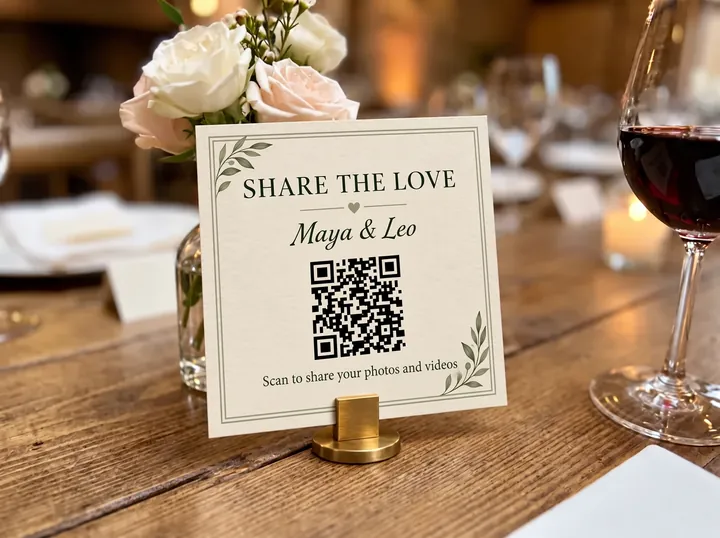
Design your card in the free QR card maker, and see where to put it.
How FrameAmour helps guests do the right thing
- A private place to share, so guests don't need to post publicly to send you their photos.
- A printable QR table card that carries your wording on every table.
- Review mode, so nothing appears to other guests until you approve it.
- No app or account, so even guests who never post online can join in.