Short answerCollect the original files from guests (not chat copies), sort them by moment, pick the best two or three from each, then lay them out in a photo book. Phone originals print well at photo-book sizes. Start with a few dozen of the best rather than every photo.
1. Collect the originals
Everything depends on this step. Photos sent through WhatsApp or other messaging apps are compressed and can look soft in print. Ask guests to share through a gallery that keeps the original file. With FrameAmour you download the originals in full quality. See why chat copies lose quality.
When to start
Don't start the album the week after the wedding. Guests keep finding photos for a while, and the best ones sometimes arrive late. A relaxed timeline:
- First week: send the morning-after message and a reminder a week later. See templates.
- After a month: download everything so far and start choosing.
- Two or three months in: order the album, once your photographer's photos have arrived too.
- First anniversary: a lovely deadline if life gets busy. Many couples give the album to each other as a gift.
Ask for the moments you're missing
Before you lay anything out, look for gaps. Is there no video of the first dance? Nothing from the getting-ready room? Ask for it. In FrameAmour, you can post a missing-moment request in your gallery, so guests see exactly what you're still looking for. Mention it in your next message to guests as well: "Did anyone film our first dance from the other side of the room?"
2. Sort by moment
A wedding album reads like a story, so sort before you choose. The usual chapters:
- Getting ready
- Ceremony
- Drinks and portraits
- Dinner and speeches
- First dance and party
- Late night
If you added your programme to FrameAmour, guests' photos are already sorted into albums by when they were taken, which saves most of this step.
3. Choose the best, not the most
- Two or three per moment, not twenty.
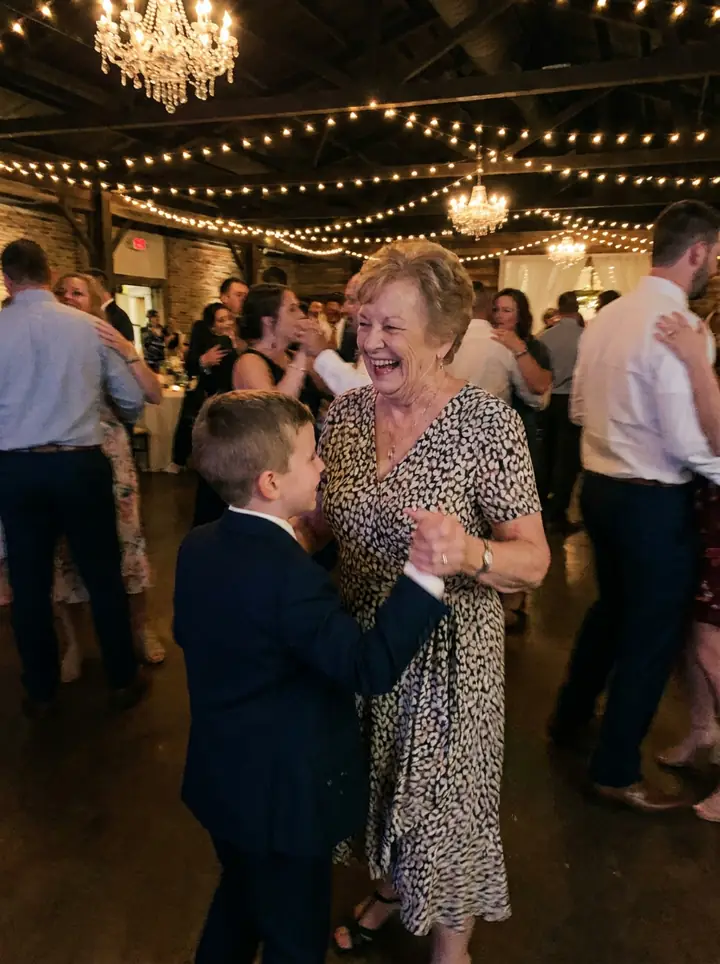
- Faces over places. Pick photos where people are laughing, crying or dancing.
- Different angles of the same moment, such as the speech from three tables, make lovely spreads.
- Keep the imperfect ones that capture a feeling. A slightly blurry dance-floor photo often says more than a sharp posed one.
- Include the guests themselves, not just you two. The album is about everyone who was there.
4. Mix with your photographer's photos (or don't)
Some couples make one album that combines the professional photos with guests' candids. Others keep a separate "through our guests' eyes" book. Both work. A separate guest book is often the one people pick up most at family visits.
5. Lay it out
- One big photo per page for the best moments.
- Grids of small photos for the dance floor and late night.
- Short captions with who took it: "Taken by Aunt Sara". Guests love finding their own.
- Video moments: some print services let you add QR codes that link to a video; check whether yours does.
6. Print tips for phone photos
- Use the original files, not screenshots.
- Most photo-book services warn you if a photo's resolution is too low for its size. Use smaller slots for those.
- Night photos are often grainy; black and white can rescue them.
- Order one proof copy before ordering copies for parents.
Not a photo book person? Other ideas
- A small "best of the guests" book for each set of parents, with 30–40 photos of family and friends.
- A wall of prints: a grid of 9 or 12 guest photos, printed in black and white so different phone cameras match.
- A slideshow or short film for your first anniversary, mixing guests' videos with photos.
- A guestbook-style album: each page shows one guest or table with their photos, almost like a signed guestbook.
- Postcards: print a few favourites as postcards and send them as thank-you notes.
Keep the originals safe
Whatever you make, keep the full collection too. Download the original files, save one copy on a computer or drive and another in cloud storage, and label the folder with your wedding date. Albums get chosen from, but the full set is what you'll go back to when a niece asks for photos of her parents at your wedding twenty years from now. With FrameAmour, the gallery stays open until 12 months after the wedding and can be extended, and we send reminders before it expires.
A lovely thank-you idea
Send the guests who shared the most a small printed photo of their best shot, with a thank-you note. It costs little and is remembered for years.
Collect the originals first: see how FrameAmour works.